Know who's covering
every site, every day.
Ops Pulse replaces the spreadsheet and the wall of hand-updated calendars with one schedule that knows what each site needs, who qualifies to cover it, and where the gaps are.
Shifts twelve months out Qualified before assigned One publish, every calendar
You already know how this goes.
Scheduling in this industry runs on a spreadsheet plus dozens of hand-maintained calendars, one per tech, one per site, all edited by hand. Here is what that costs.
"Who's at Carolina Heart on Thursday?"
Answering one question means opening the spreadsheet, three calendars, and a text thread. The schedule lives everywhere, so it lives nowhere.
Gaps you find the morning of
An uncovered shift looks exactly like a covered one until someone notices. Too often the person who notices is your customer, calling to ask where the tech is.
One change, three edits, one miss
Move a shift and you are editing the same fact in the spreadsheet, the tech's calendar, and the site's calendar. Miss one and there are two schedules, and both look official.
The wrong tech at the door
Credentials live in one spreadsheet, the schedule in another. Nothing stops an assignment the person is not qualified for until the hospital turns them away.
And underneath all of it: when a tech takes time off, the shifts they were covering quietly become nobody's problem. The whole operation holds together because one coordinator holds it together. If they are out, you are exposed.
One system owns the schedule and publishes it outward.
Define what each site needs
Which days, which hours, which studies, how many people. You write the coverage requirement once, per site.
Let it become real shifts
Ops Pulse materializes those requirements into actual shifts twelve months out. Standing assignments put the same tech on the same weekly commitment without anyone re-entering it.
Fill the gaps with people who qualify
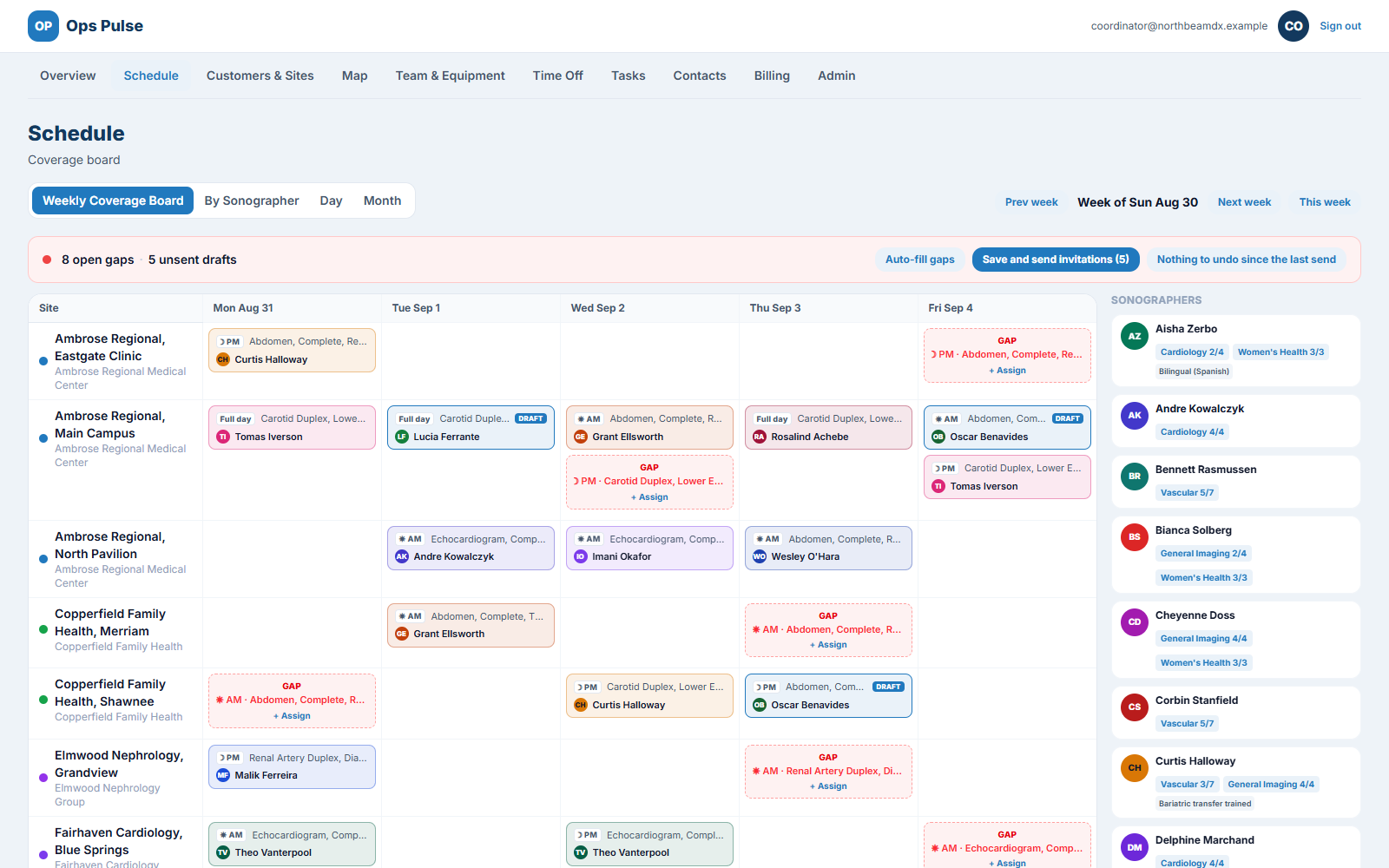
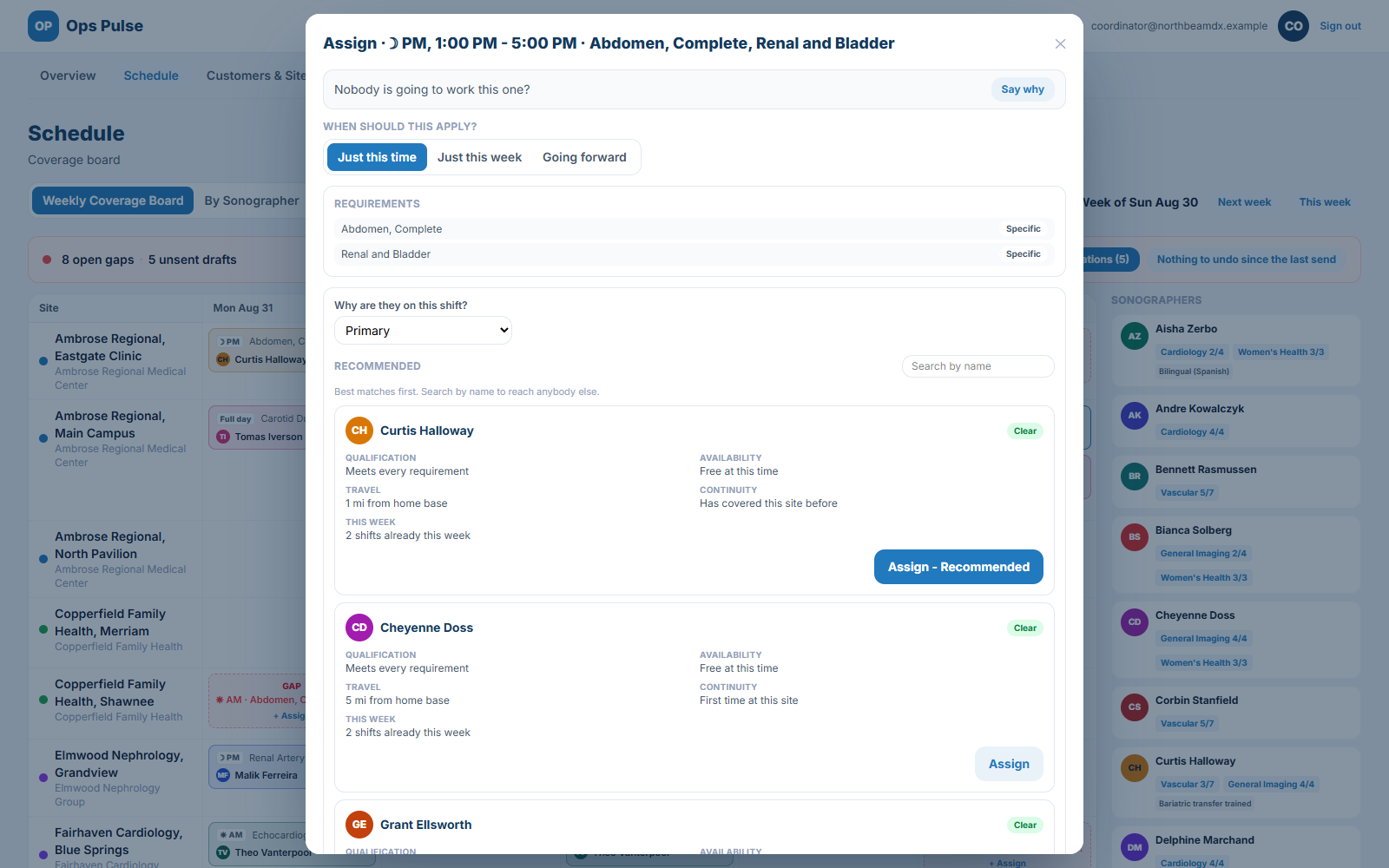
Uncovered shifts show up as gaps on the board. Auto-fill proposes qualified people, ranked. The qualification gate checks credentials before anyone lands on a shift.
Publish it in one act
Changes stage as drafts. Nothing reaches a calendar or an inbox until you press Save and send invitations. An undo stack lets you walk changes back before you commit.
What Ops Pulse does.
Build the schedule once
Stop re-entering the same week forever.Recurring coverage, not manual calendars
Define what a site needs and Ops Pulse turns it into real shifts twelve months out. Standing assignments keep the same tech on the same weekly commitment.
A board that shows gaps
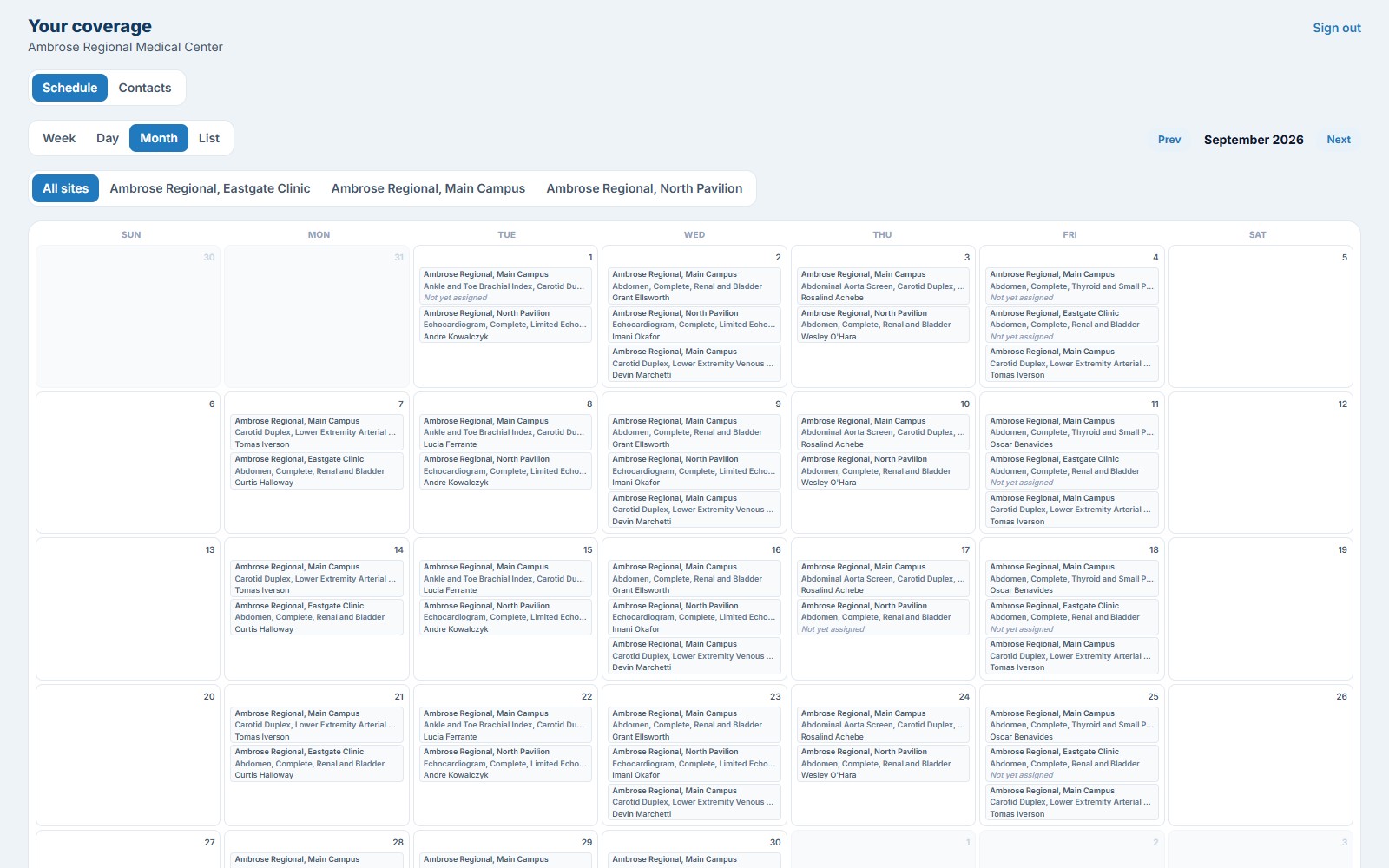
Day, week and month views. Uncovered shifts appear as visible gaps rather than absences you have to notice. Drag and drop to assign.
Auto-fill
One click proposes qualified people for the open gaps, ranked, and places them.
Multi-person shifts
A primary plus partners, trainees, students and cross-training pairs, each with their own role on the shift.
Keep it right
The guardrails that stop the bad day.A qualification gate
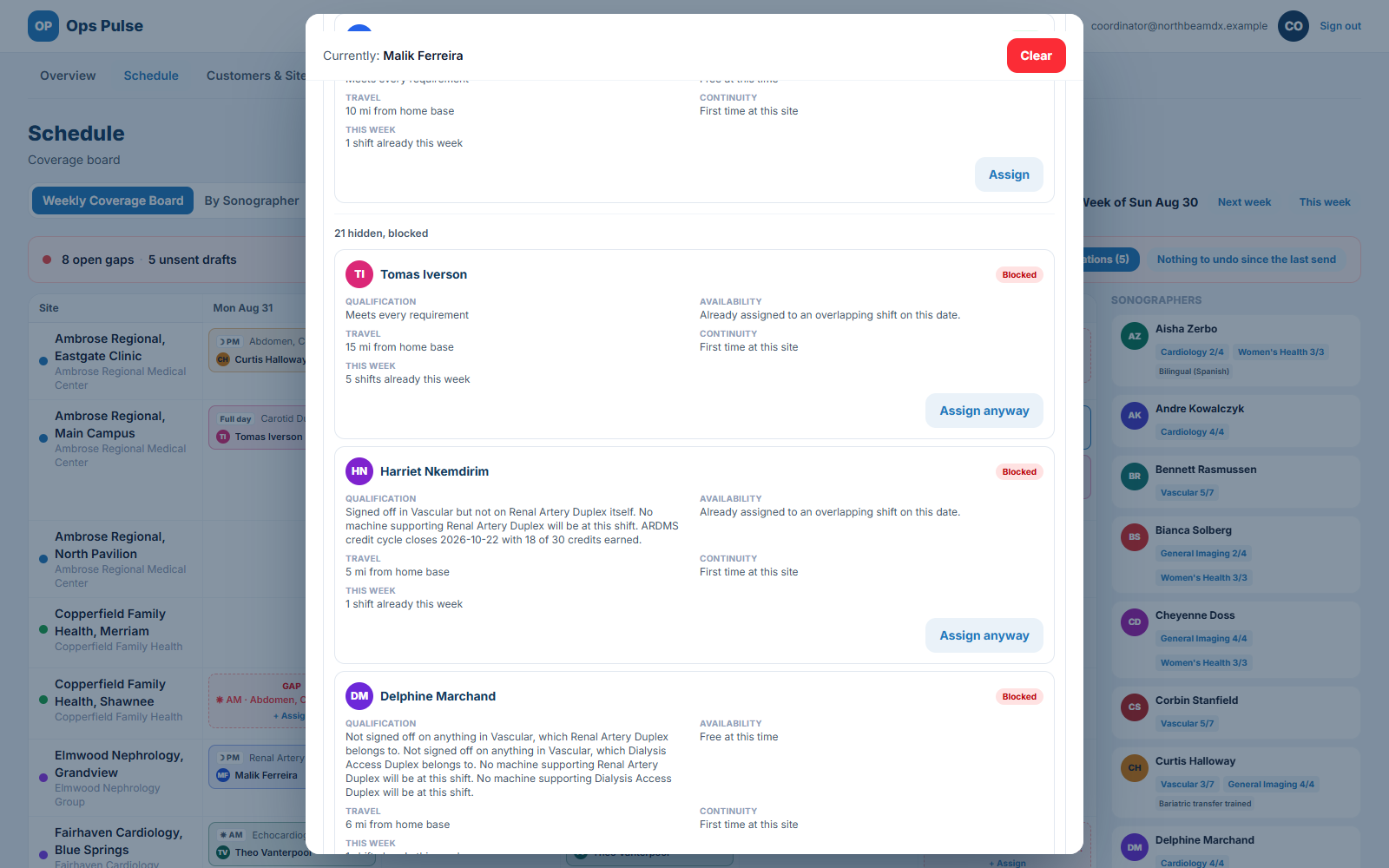
Before anyone is assigned, Ops Pulse checks credentials, competencies, site sign-offs and equipment against what the shift requires. Overriding it takes a deliberate, recorded reason. This is what stops an unqualified tech being sent to a hospital.
Time off that cascades
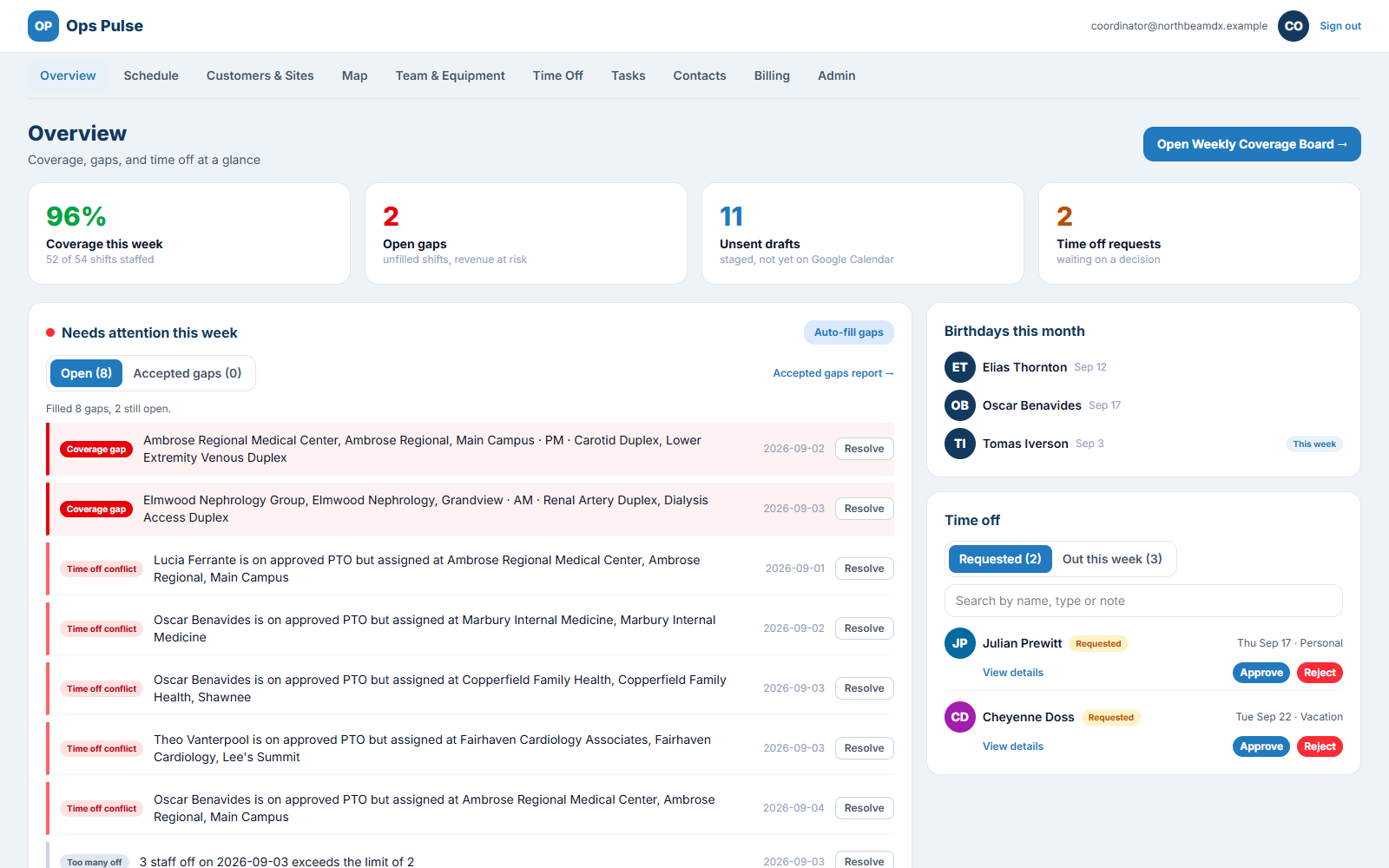
Requests and approvals, and when a request is approved the shifts that person was covering are released back into the gap list. They get re-covered instead of silently vanishing.
Publish as one deliberate act
Changes stage as drafts. Nothing reaches a clinician's calendar or inbox until someone presses Save and send invitations. An undo stack walks changes back one at a time before you commit.
Notifications that are not noise
Schedule changes go to the person affected, time off decisions to the requester, gap alerts to the operations mailbox. Each type can be off, immediate, a weekly digest, or only when something differs from the standing pattern.
Share it, and run on it
The schedule reaches everyone who depends on it.Google Calendar, owned properly
Ops Pulse creates and owns a calendar per clinician and per site, publishes into them, and manages access. Everything on those calendars came from Ops Pulse, so a bad publish is recoverable and nobody carries two competing schedules.
A customer view
Customer sites can see their own coverage, and only their own.
Site knowledge in one place
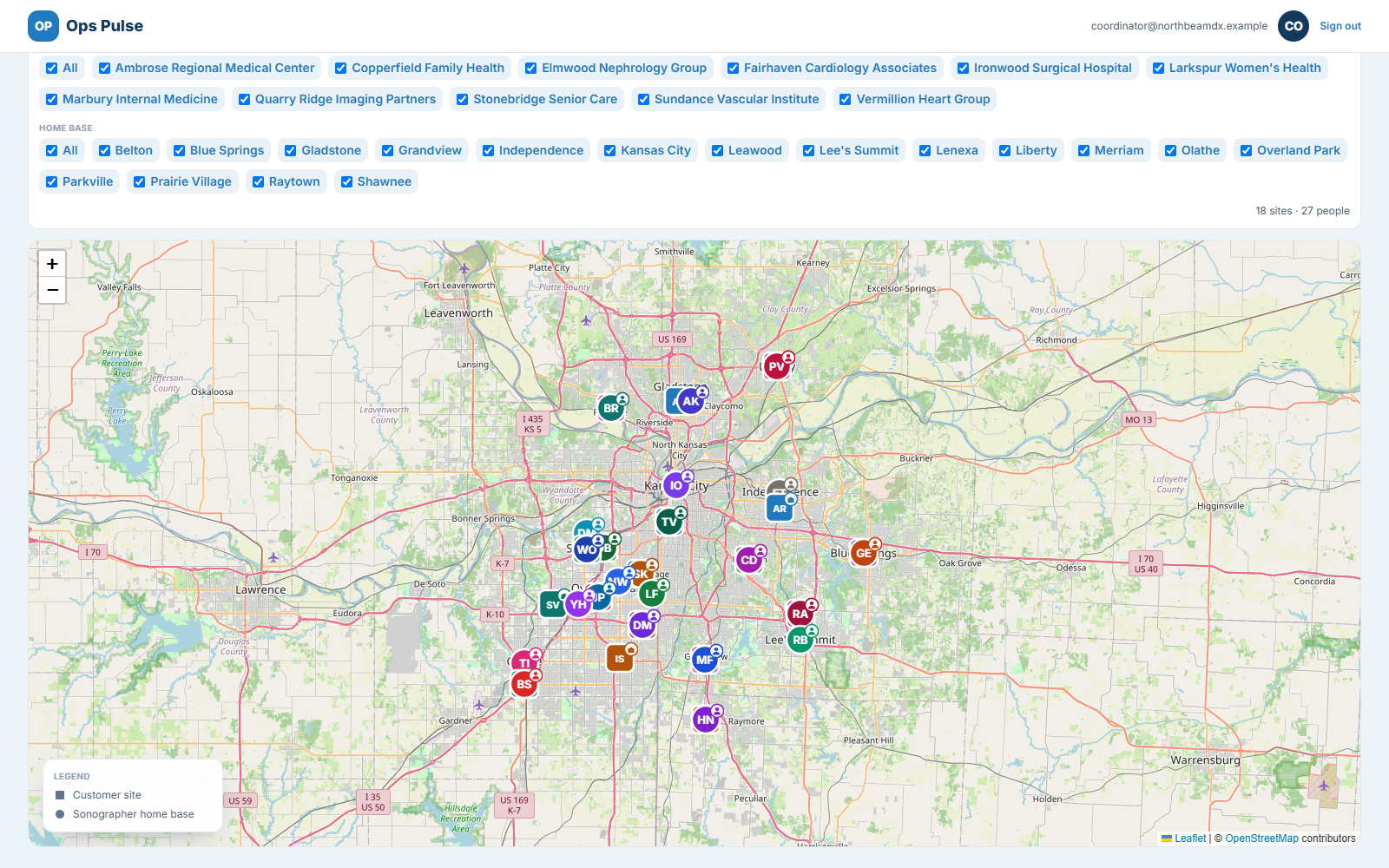
Who to ask for at the door, addresses that geocode onto a map, phone numbers, access notes, and reference documents pulled from Google Drive and attached to the sites and shifts they belong to.
Billing that falls out of the schedule
Billing codes and rates per site, and an invoice workbook export generated from the work that was actually scheduled.
What it looks like in use.
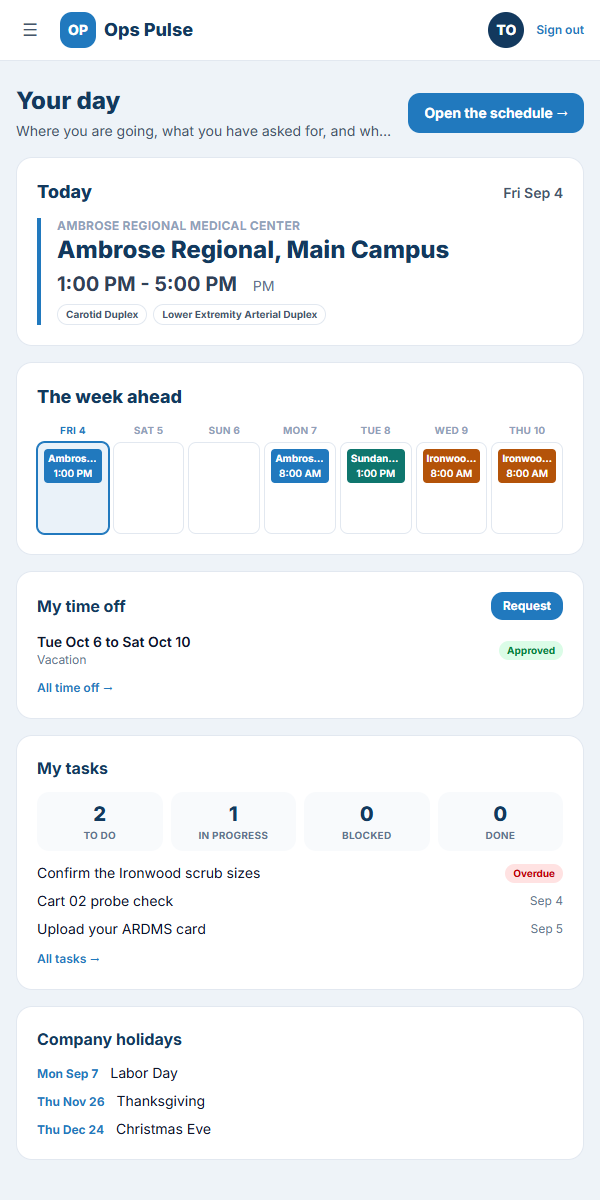
Real screens from Ops Pulse: the week at a glance, the assignment decision, and what your customers and clinicians see.
Built for healthcare operations.
Scheduling data touches staff records and customer relationships, and sometimes protected health information. Ops Pulse treats it accordingly.
-
Role-based access
Coordinators, clinicians and customers each see what their role allows, and nothing more.
-
An audit trail
Who was given access to what, and when. Recorded, reviewable.
-
Encryption
In transit and at rest.
-
US data residency
Data is stored in the United States.
-
BAAs available
Business Associate Agreements where protected health information is involved.
See it against your own schedule.
Bring your spreadsheet to the call. We will set up the same week in Ops Pulse and show you where the gaps were hiding.
- A real walkthrough, not a slide deck.
- We answer from a person, usually the same day.
- No obligation, and no sales sequence afterwards.